Modsmith: a Minecraft Development Studio for Fabric, NeoForge and Forge mods
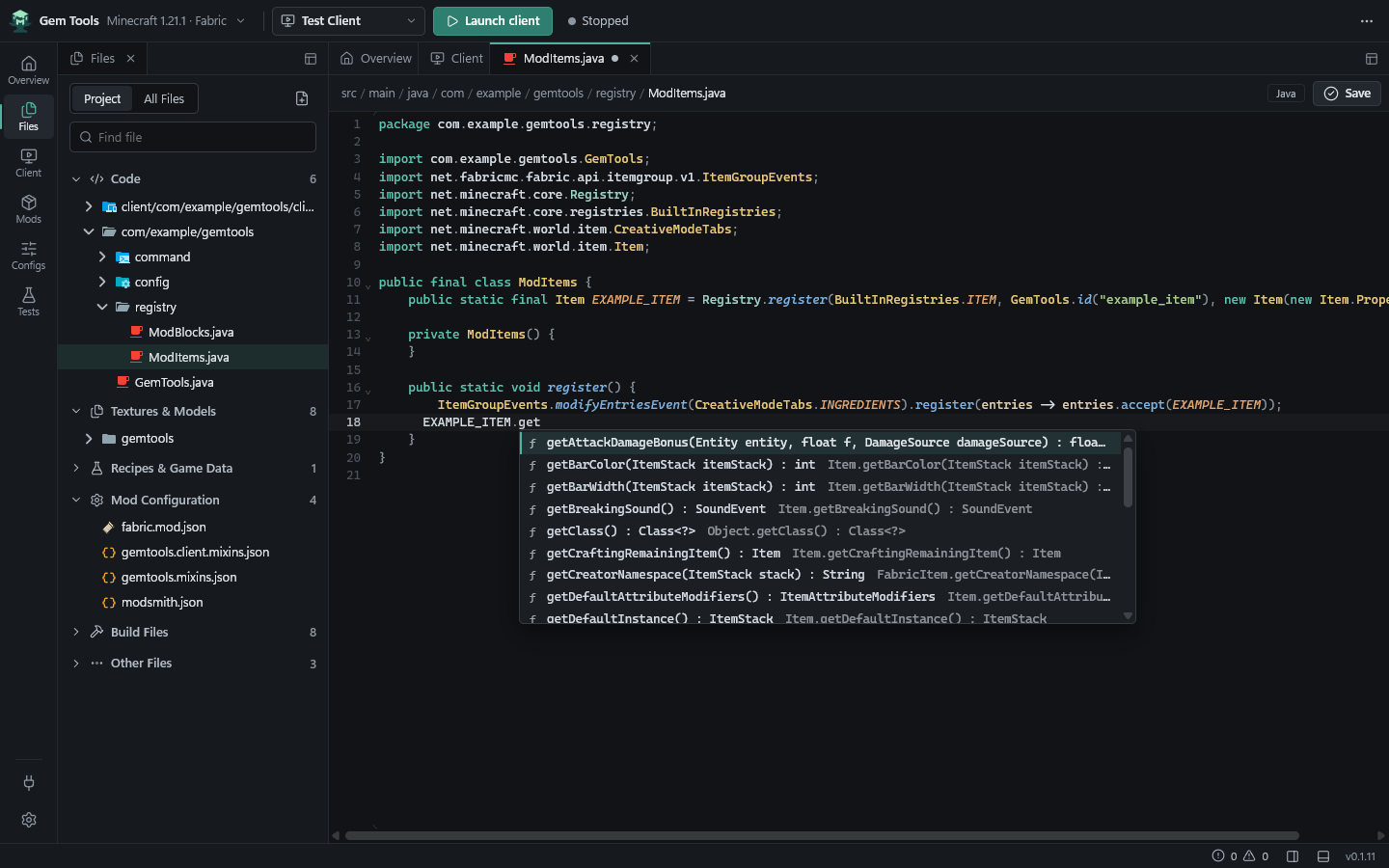
Modsmith is a free desktop application for making Minecraft mods. It creates a mod project from the loader's official template, edits Java and JSON with completion, builds with your project's own Gradle, and runs Minecraft inside the same window so you can test changes right away.
Windows 10 and 11, and Linux. Free and source-available. This Modsmith is a development studio for people who write mods; it is not a mod manager for playing modpacks.
Who it is for
Modsmith is for people who write Minecraft mods in Java with Fabric, NeoForge or Forge, from a first mod to a project that has to be tested against other mods and modpacks. It replaces the usual mix of an IDE, a launcher, a folder of test mods and a console window with one application that understands Minecraft projects.
What you can do with it
Start a mod in minutes
Choose Fabric, NeoForge or Forge and a Minecraft version, add example items, blocks, commands or data generation, and Modsmith writes a project from the official example mod and runs the first build.
Edit with real tooling
Java completion, go to definition and Minecraft sources come from the Eclipse JDT Language Server. JSON files get schemas, item and block ID completion, asset checks and a 3D model preview.
Run the game in the window
Launch a test client or dedicated server in its own isolated folder. On Windows and on Linux with X11 the game window is embedded in Modsmith, and Apply changes hot-reloads Java method bodies.
Test with other mods
Add mods from Modrinth or CurseForge, local JARs, or a whole modpack. Dependencies are resolved and hash-checked, versions stay locked, and updates can be previewed and rolled back.
Check your work
Scripted test scenarios, world snapshots, dependency bisection, multiplayer test sessions with several clients, benchmark comparisons and a Java debugger.
Work with AI assistants
Modsmith includes an MCP server, so Claude and other MCP clients can build, launch and inspect your project with the same tools you use.
See every feature and its current status
Supported today
| Area | Support |
|---|---|
| Operating systems | Windows 10 and 11 (64-bit installer); Linux x86-64 (AppImage and .deb). No macOS build yet. |
| Fabric | New projects for Minecraft 1.14.4 to 26.3, with the most starter content on 1.21.1 and 1.20.1 |
| NeoForge (ModDevGradle) | New projects for Minecraft 1.20.4 to 26.3, with the most starter content on 1.21.1 |
| Forge (ModDevGradle Legacy) | New projects for Minecraft 1.20.1 with every starter and the development bridge |
| ForgeGradle, Quilt, Architectury | Detected when you open such a project, but not supported for building or launching |
| Java | Finds installed JDKs and can download Eclipse Temurin when a project needs a version you do not have |
Get started
- Download the installer for Windows or the AppImage or .deb for Linux.
- Open Modsmith and choose New mod. Pick a loader, a Minecraft version and the starter content you want.
- Press Create project, then Open and launch client to build the mod and start Minecraft with it.
The getting started guide walks through each step, including Java and the first build.
Free, independent and source-available
Modsmith is free to download and use, and its source is on GitHub under the Apache License 2.0 with the Commons Clause: you can use, modify and share it, but not sell it. Everything you make with it, including your mods and the files Modsmith generates in your projects, is yours. Modsmith is an independent project and is not affiliated with Mojang Studios or Microsoft.