
Modsmith features
Everything on this page works in Modsmith 0.1.29 unless it is marked Planned. The project's implementation status lists how each feature was verified.
Projects and templates
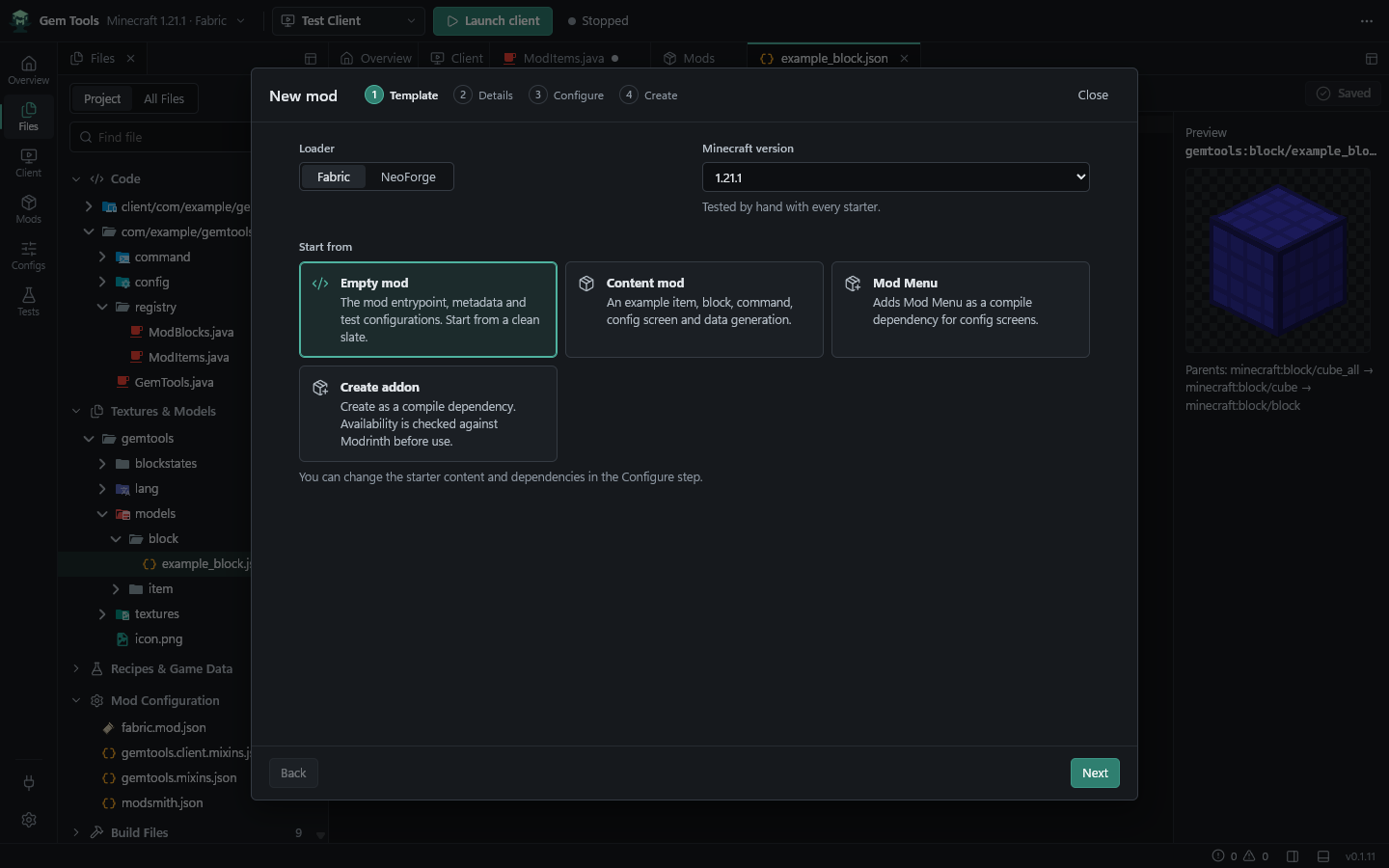
- New mod wizard. Choose Fabric, NeoForge or Forge and a Minecraft version, then a project name, mod ID, Java package, license and starter content. The project is generated from the loader's official example mod (FabricMC's example mod, the NeoForge ModDevGradle MDKs, or the Forge MDK built with ModDevGradle Legacy) and can run its first Gradle build straight away.
- Starter content. An example item, block, command, configuration and data generation setup, the runtime development bridge, and client and dedicated-server test configurations. On Minecraft 1.21.1 every starter is available; on other versions the empty mod and the test configurations are.
- Existing projects. Open a Fabric Loom, NeoForge ModDevGradle or Forge ModDevGradle Legacy project folder. Modsmith reads it without running anything; building or launching asks you to trust the project first, because that runs its Gradle scripts.
- Multi-loader projects. The New mod wizard can build one mod for several loaders and Minecraft versions: each target you add gets its own Gradle subproject from that version's template, and a common folder holds the code and assets they share. Add a target… in the More actions menu or the target picker does the same for a mod you already have: a single-loader project moves into its own subproject first, after a clean-Git check or a backup copy, and the new loader or Minecraft version is added next to it. A project that keeps each loader and Minecraft version in its own Gradle subproject, with Stonecutter branches or one subproject per version, opens with a target picker in the toolbar. Builds, launches, hot reload, the Build menu and publishing use the selected target, and each target keeps its own test worlds.
- Modpack workspaces. Import a Modrinth
.mrpackor CurseForge.zipas its own workspace, and export modpacks and ready-to-run server packs. - Deploy to a server. Upload a server configuration to your server over SFTP. A preview lists the files that would change, only new and changed files are sent, and server.properties and the world are left alone. There is a preset for BisectHosting.
Minecraft versions and loaders
| Loader | New projects | Build and launch | Development bridge |
|---|---|---|---|
| Fabric | 1.14.4 to 26.3 (44 versions) | Yes | 1.21.1, 1.20.1 |
| NeoForge with ModDevGradle | 1.20.4 to 26.3 (19 versions) | Yes, including data generation and production servers | 1.21.1 |
| Forge with ModDevGradle Legacy | 1.20.1 | Yes, including data generation and production servers; mods from Modrinth and CurseForge are remapped for development runs | 1.20.1 |
| Forge with ForgeGradle, NeoForge with NeoGradle, Quilt, Architectury | No | No; detected and reported as unsupported | No |
Minecraft 1.21.1 is tested by hand with every starter. The other versions are generated from the official templates and checked automatically: in CI an empty project is built and its development client reaches the title screen. See the loader and version matrix.
Code and asset editing
- Java. Completion that shows each suggestion's signature and Javadoc, signature help, hover documentation and diagnostics from the Eclipse JDT Language Server with the project's real Gradle classpath. Ctrl+click or F12 opens definitions, Shift+F12 lists references, and Minecraft, loader and library classes open as read-only sources. Modsmith downloads the language server once, with a pinned SHA-256 hash.
- JSON. Schemas for
fabric.mod.json, mixin configs,pack.mcmeta, language files, tags, advancements and other data files, with completion and checks as you type. - Registry IDs. Item, block, entity type and tag IDs are suggested in recipes, tags, loot tables and models, from vanilla data for your Minecraft version, your project, your test mods and the development classpath.
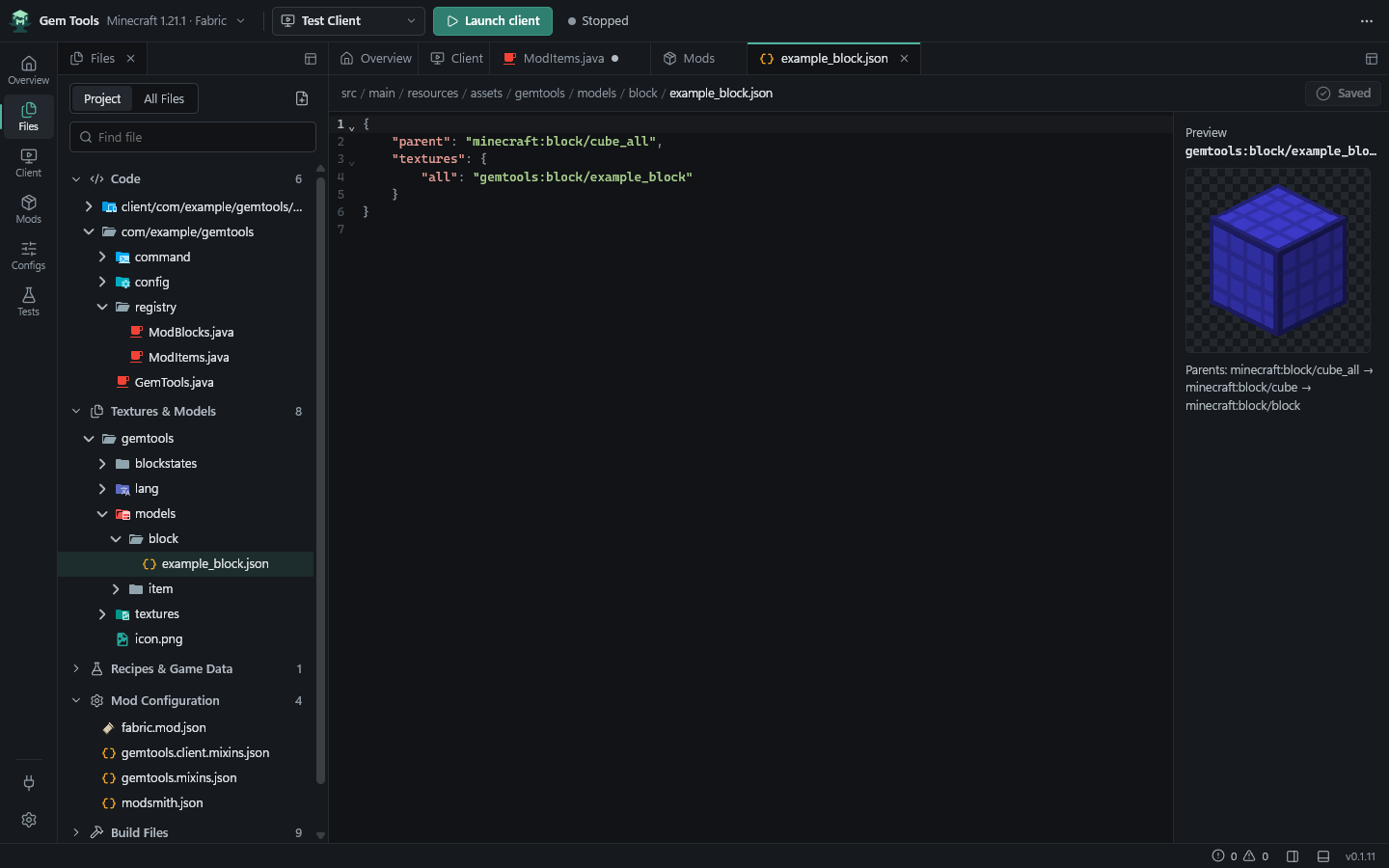
- Asset checks and model preview. Missing models, textures, translations and unknown IDs are listed in Problems with links to the line. Block and item model files show a rendered preview beside the editor.
- Find and replace. Ctrl+F and Ctrl+H work in the open file. Ctrl+Shift+F searches the whole project with match case, whole word, regular expressions and file filters. You can then replace one match, one file or every result.
- Themes. Built-in light and dark themes, and VS Code color themes can be imported.
Building and running
- Gradle builds from the Build button in the toolbar, using the project's own wrapper. Errors link to the line in the editor. The Build menu lists the finished mod JAR, and you can save a copy or show it in its folder.
- Project settings. Set the mod's name, version, description, authors, license, links and declared dependencies in a form. Modsmith writes them to
gradle.properties,fabric.mod.jsonormods.tomlfor you. - Publishing. Link the mod to its Modrinth and CurseForge projects and upload a new version of the built JAR to both from the Build menu, with the version number, Minecraft versions, release type and changelog filled in for you.
- Run configurations. A test client and a dedicated server, each with its own isolated game folder, mods, memory and Java settings. Release-build configurations test the built JAR in a normal client or server.
- The game in the window. The client window is embedded in the Modsmith window on Windows and on Linux with X11 or XWayland, and can be moved to its own window at any time.
- Apply changes. Hot-reload changed Java method bodies, assets and data packs into the running game. Changes the JVM cannot apply, such as new fields, are reported so you can restart.
- Debugger. Breakpoints in the editor gutter, the call stack, variables and expression evaluation, using Microsoft's Java Debug Server.
- Java management. Installed JDKs are detected, and Eclipse Temurin can be downloaded for the versions a project needs.
Testing with other mods
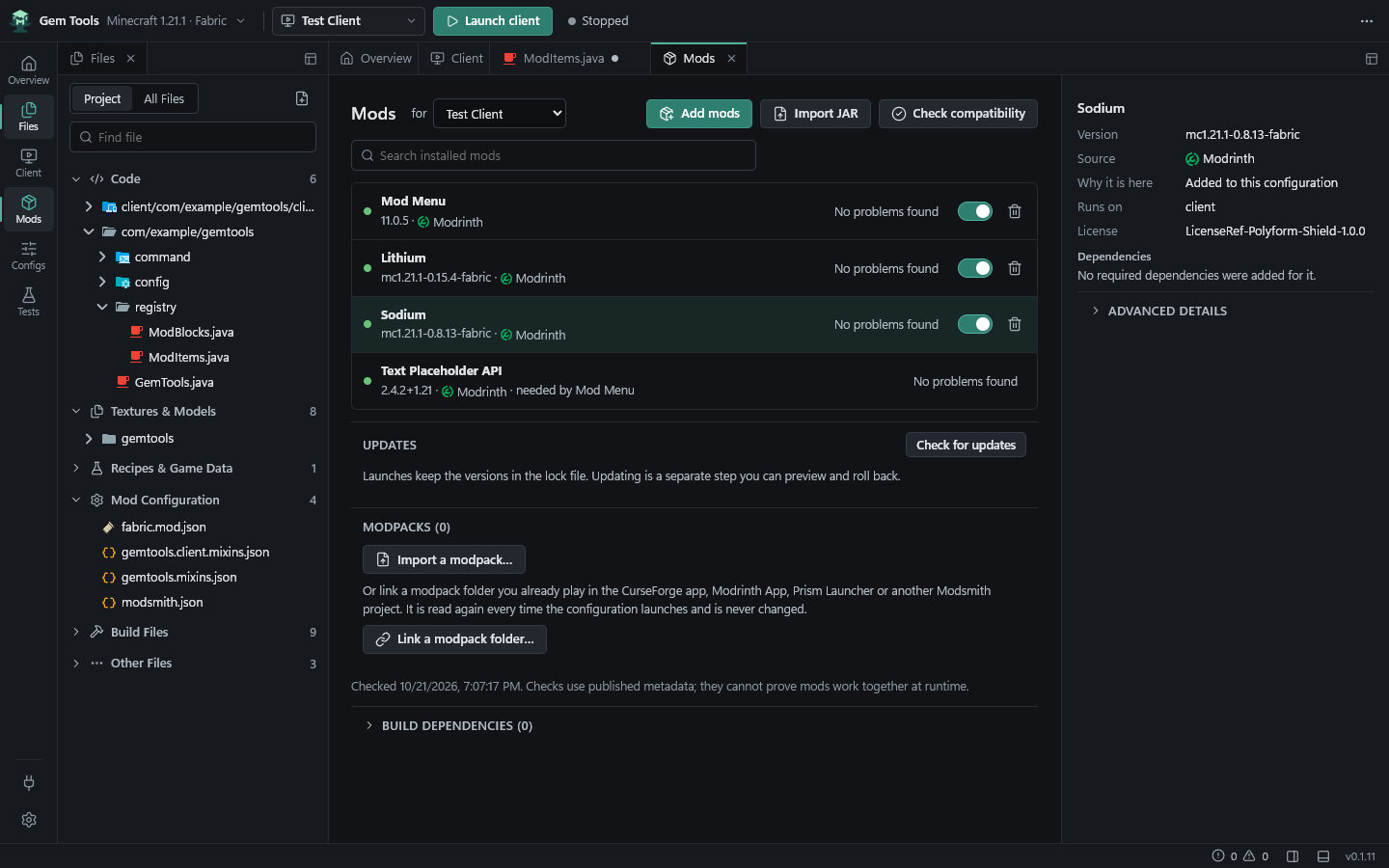
- Modrinth and CurseForge. Search, add and resolve required dependencies, with hash-verified downloads. CurseForge needs your own API key; files whose authors disallow third-party downloads are handled as a guided manual download.
- Local JARs, imported modpacks and linked modpack folders. Link a pack you already play in the CurseForge app, Modrinth App or Prism Launcher, and Modsmith loads its mods into the test game without changing the folder. A copy of your own mod in the pack is left out, so your current build is the one you test.
- Locked versions. The lock file keeps every mod on the same version from run to run. Updates are listed, previewed as a change list and applied with a rollback point.
Testing and inspection
- Inspector. With the development bridge, inspect the block or entity you are looking at, give items, run commands and take screenshots.
- Scenarios. Scripted checks such as running commands, giving items and asserting blocks, inventory, registry entries and log lines, written in a visual editor. When the game is not running, Run starts the configuration in a fresh test world and stops it afterwards. Multiplayer scenarios start a server and up to four players and run steps as a named player.
- Multiplayer test sessions. One action starts a dedicated server and up to four clients with their own player names and folders, connects them and groups their logs.
- Performance comparisons. Repeatable benchmarks on a fresh fixed-seed world that measure startup, tick time, frame rate and memory, and compare two runs against their run-to-run noise.
- World snapshots, dependency bisection and crash bundles for narrowing down which mod causes a problem. These are implemented but not yet verified end to end against a live game.
Extensions
- File viewers and panels. Extensions add viewers for files in your project and panels you open from the left rail. Each one runs in a sandbox and can only do what its permissions allow, such as reading project files or controlling the running game.
- Verified and Unverified. Settings, Extensions lists Verified extensions, reviewed by the Modsmith maintainers and checked against the file that was approved. You can also install an extension from a GitHub link or a
.zip, after seeing its permissions; those are marked Unverified. - Writing your own. Extensions are HTML, CSS and JavaScript with a small API. See the extension guide.
- Companion mods. An extension can ship a mod that joins development runs of the game and answers the extension through the development bridge, for tools that need the running game, such as playing a Create Ponder scene while you edit it.
Automation
- MCP server. Claude and other MCP clients can create, build, launch and inspect projects through the same service the app uses. See the MCP guide.
- Command line.
modsmith-service clicreates, builds and launches projects from scripts.
Planned
- macOS builds Planned
- Forge, Quilt, Architectury and NeoGradle projects Planned
- Microsoft account sign-in for release-build clients, so they can join online-mode servers Planned
- Starter content beyond the empty mod, and the development bridge, on Minecraft versions other than 1.21.1 Planned
- A networking starter Planned